How do I validate an account and return associated details?
The ValidateReturnDetail function is used to verify bank account numbers, with sort codes and return the bank details which will include bank name, address and contact numbers.
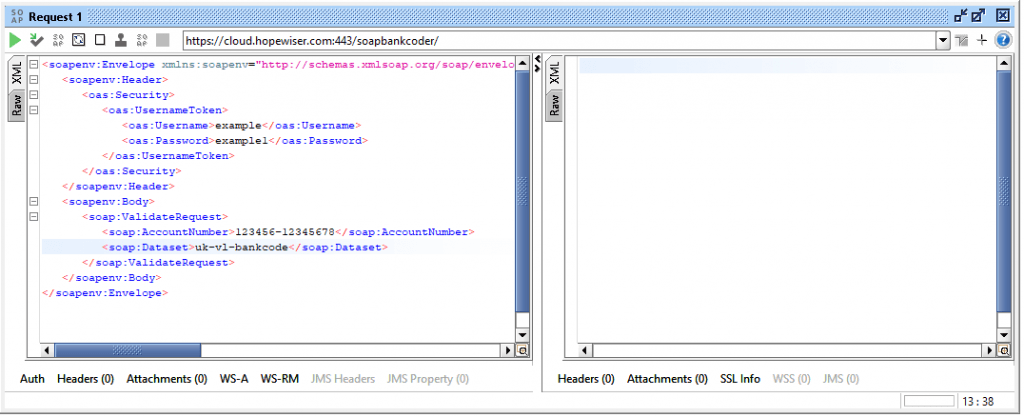
A ValidateReturnDetail request only requires an AccountNumber parameter. This should comprise the full account number, which is preceded by the sort code. The software strips all whitespace such as space and ‘-‘ characters.
It also takes a dataset reference parameter (optional) to specify the required validation rules. Available datasets are identified via the “Status” function as described in the ‘How do I discover my available Payment Validation datasets?’ section above.
<soapenv:Envelope
   xmlns:soapenv="http://schemas.xmlsoap.org/soap/envelope/"
   xmlns:wss="http://docs.oasis-open.org/wss/2004/01/oasis-200401-wss-wssecurity-secext-1.0.xsd"
   xmlns:hpw="http://hopewiser/soapbankcoder">
  <soapenv:Header>
    <wss:Security>
      <wss:UsernameToken>
        <wss:Username>hpwuser</wss:Username>
        <wss:Password>password</wss:Password>
      </wss:UsernameToken>
    </wss:Security>
  </soapenv:Header>
  <soapenv:Body>
    <hpw:ValidateReturnDetailRequest>
      <hpw:AccountNumber>074456-12345112</hpw:AccountNumber>
      <hpw:Dataset>uk-vl-bankcode</hpw:Dataset>
    </hpw:ValidateReturnDetailRequest>
  </soapenv:Body>
</soapenv:Envelope>
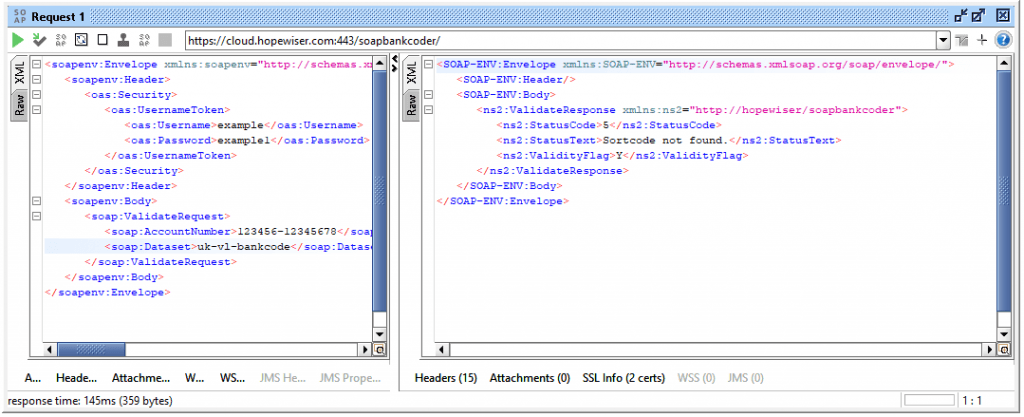
The ValidateReturnDetail response will return an overall validity status of either Y (Yes) or N (No), along with a status code and textual description of how that decision was reached, followed by a “BankDetail” section which contains a list of bank field names and values.
<soapenv:Envelope xmlns:soapenv="http://schemas.xmlsoap.org/soap/envelope/">
  <soapenv:Header/>
  <soapenv:Body>
    <hpw:ValidateReturnDetailResponse xmlns:hpw="http://hopewiser/soapbankcoder">
      <hpw:StatusCode>2</hpw:StatusCode>
      <hpw:StatusText>Account valid.</hpw:StatusText>
      <hpw:ValidityFlag>Y</hpw:ValidityFlag>
      <hpw:BankDetail>Y</hpw:BankDetail>
        <hpw:Item name="RecordType">1</hpw:Item>
        <hpw:Item name="Sortcode">074456</hpw:Item>
        <hpw:Item name="BICBank"/>
        <hpw:Item name="BICBranch"/>
        <hpw:Item name="SubBranchSuffix">00</hpw:Item>
        <hpw:Item name="ShortBranchTitle">FlexAccount (NGC)</hpw:Item>
        <hpw:Item name="ShortNameOfOwningBank">NATIONWIDE BLDG SCTY</hpw:Item>
        <hpw:Item name="FullNameOfOwningBank1">NATIONWIDE BUILDING SOCIETY</hpw:Item>
        <hpw:Item name="FullNameOfOwningBank2"/>
        <hpw:Item name="CHAPSStatus">I</hpw:Item>
        <hpw:Item name="FPSStatus">M</hpw:Item>
        <hpw:Item name="FullBranchTitle1">FlexAccount (NGC)</hpw:Item>
        <hpw:Item name="FullBranchTitle2"/>
        <hpw:Item name="FullBranchTitle3"/>
        <hpw:Item name="Address1">P.O. Box 8888</hpw:Item>
        <hpw:Item name="Address2">Nationwide Hse</hpw:Item>
        <hpw:Item name="Address3">Pipers Way</hpw:Item>
        <hpw:Item name="Address4"/>
        <hpw:Item name="AddressTown">Swindon L</hpw:Item>
        <hpw:Item name="AddressCounty">Wilts.</hpw:Item>
        <hpw:Item name="AddressOutcode">SN38</hpw:Item>
        <hpw:Item name="AddressIncode">1NW</hpw:Item>
        <hpw:Item name="Telephone1STD">0800</hpw:Item>
        <hpw:Item name="Telephone1">302011</hpw:Item>
        <hpw:Item name="Telephone2STD"/>
        <hpw:Item name="Telephone2"/>
      </hpw:BankDetail>
    </hpw:ValidateReturnDetailResponse>
  </soapenv:Body>
</soapenv:Envelope>
The status codes returned from ValidateReturnDetail are identical to those returned from the Validate responses. For the list of status codes, please refer to the status code table as described in the “Validate an account number” section above.
“BankDetail” fields are given in the table below:
| Fieldname |
Description |
| RecordType |
This is a Hopewiser field which is reserved for future use.
The value is currently set to 1. |
| Sortcode |
This is a 6 digit bank sorting code. |
BICBank
BICBranch |
These two fields form the Bank Identifier Code. |
| SubBranchSuffix |
This is a 2 digit subbranch number. |
| ShortBranchTitle |
This is the official title of the branch, as appears on the cheque book. |
| ShortNameOfOwningBank |
The short name which is formally approved by Payments Council. |
FullNameOfOwningBank1
FullNameOfOwningBank2 |
The full name which is formally approved by Payments Council. |
| CHAPSStatus |
This is the Clearing House Automated Payment System status.
Value will either be D, I or N.D – Bank office is a direct office of a CHAPS member that accepts CHAPS payments.I – Bank office is an indirect office of a CHAPS member or agency bank that accepts CHAPS payments.N – Bank office does not accept CHAPS payments. |
| FPSStatus |
This is the Faster Payments Service status.
Value will either be M, A or N.M – Bank office of FPS member, accepts FPS payments.A – Bank office of FPS agency bank, accepts FPS payments.N – Bank office does not accept FPS payments. |
FullBranchTitle1
FullBranchTitle2
FullBranchTitle3 |
This is an extended title for the bank office. |
Address1
Address2
Address3
Address4
AddressTown
AddressCounty
AddressOutcode
AddressIncode |
The address of the bank office. |
Telephone1STD
Telephone1 |
Telephone number1. |
Telephone2STD
Telephone2 |
Telephone number2. |