
20 November 2025

A question on the minds of many businesses is whether or not to include the second address line on their contact forms and checkout pages.
In this blog, we’ll delve into whether or not it’s useful and some alternatives to having it.
Address line 2 is an optional field that allows the user to enter additional information when the main address field (address line 1) does not have enough space to accommodate the details.
The best case uses for this is providing information including flat numbers, building names, business departments or any other relevant details that help identify the precise location of delivery.
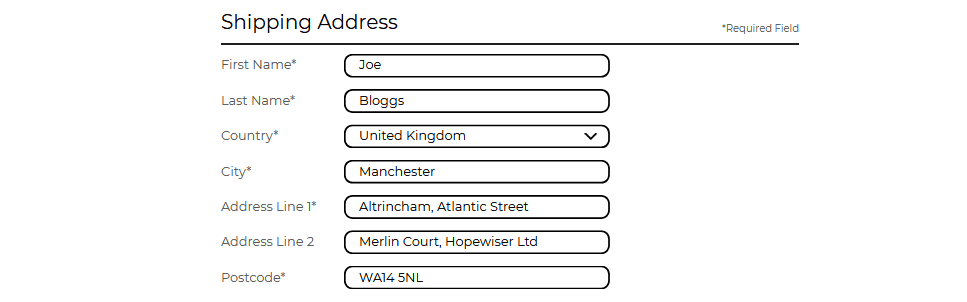
Having a second address field can be useful for customers as it provides a convenient way to ensure their package arrives in the right hands to the exact location – however, for most people, it can often create unnecessary confusion and hassle, resulting in longer checkout times and more abandoned carts.
This is because most people are unaware of what falls into the second line of an address – is it the house number? the street name? In most situations, the customer is unsure and will often interpret it in different ways, or just leave it empty.
Not only is it unhelpful for customers, but it can also cause a lot of internal confusion, as the address becomes split across different lines of entry. And whilst this data can be merged for analysis, it will often require a manual look-over as customers might include things not relevant to the first address line, such as the postcode, town or county.
There are several studies out there that back up the claims that the second address line causes more harm than good.
Baymard Institute conducted a study to understand the frustrations people encounter in the presence of unexpected data collection items.
They found that “While there’s nothing wrong with including “Address Line 2” in the address form, our large-scale Cart & Checkout testing reveals that the “Address Line 2” form field can be a surprisingly difficult hurdle for some users to overcome when filling out their address information.”
Their usability testing showed the following among users:
Another way is to use a partial-match Auto-Complete Lookup, whereby users enter the desired postcode and select the government-registered address line 1; most often being the house number and street name or the name of the business and street name.
This method is not only fast and easy for customers, but also guarantees the accuracy of the address information. With this system, the likelihood of typos and inconsistencies in your CRM database is significantly reduced.
Try Hopewiser’s Auto Complete Lookup
Hopewiser’s software uses the latest and most powerful cross-matching technology to make a unique match. It intelligently identifies which details are available, allowing vanity elements to be kept or thrown away, as desired.
You're in good company








Learn more about security and compliance at hopewiser