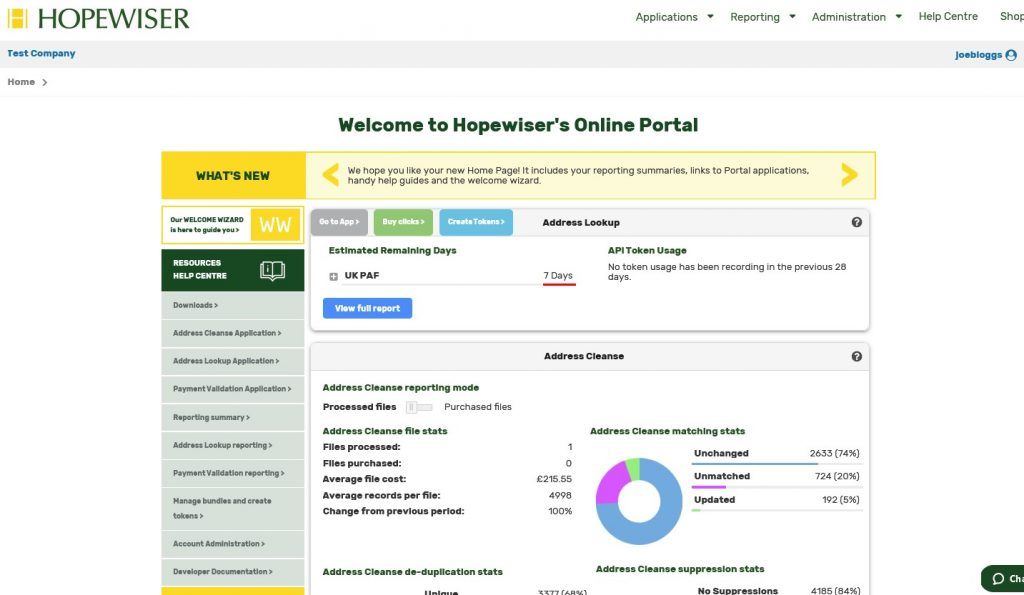
The Account administration page allows you to;
- Edit or delete the Organisation account created
- Manage administrators and members
- Invite and edit users
- Add a card for Address Lookup / Payment Validation Automatic Renewal
Administrators will receive both warning and monthly usage emails unless they opt out via ‘My Settings’ privacy section.
A member will only be able to use the Portal Web Applications, if they are enabled for that member.
When you invite/edit a user you can enable/disable the Portal Web Applications. Enabling Address Lookup and Payment Validation for a user will allow them to use live bundles in that account. Portal applications require an appropriate Token. Options are provided to select an existing token or create a new one.
If you click on Address Lookup or Payment Validation you will be able to purchase clicks and create tokens.
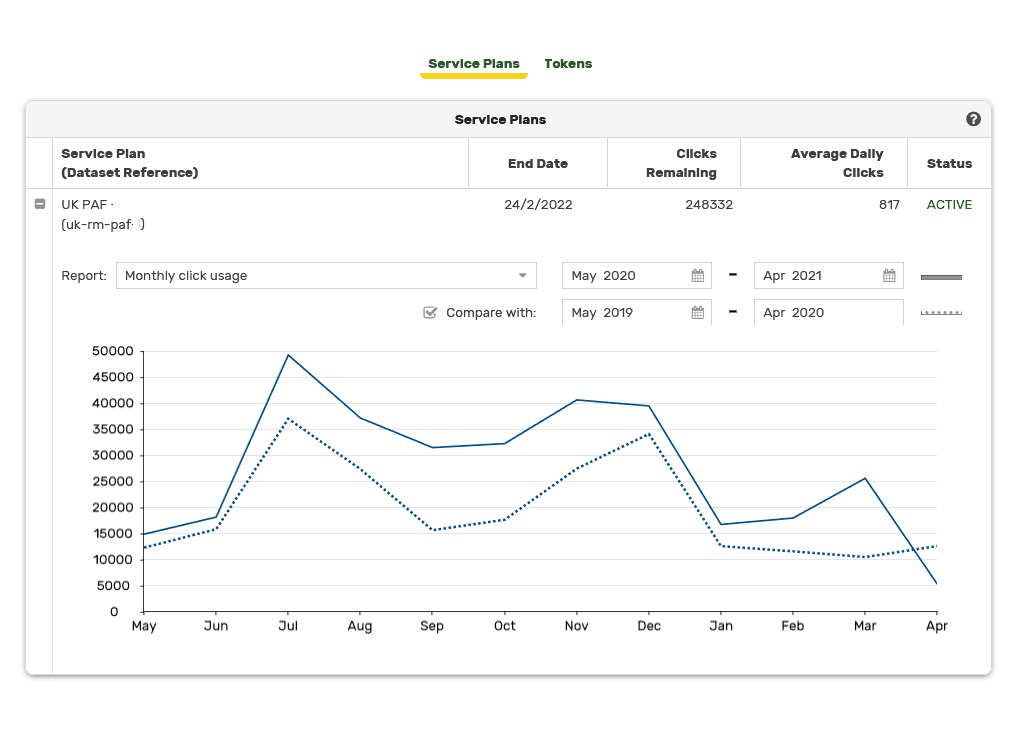
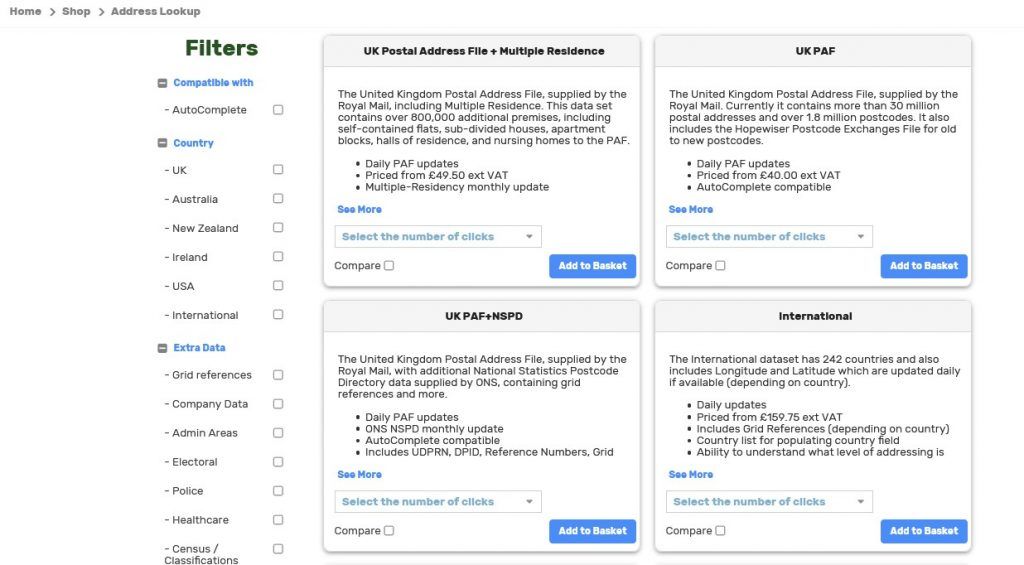
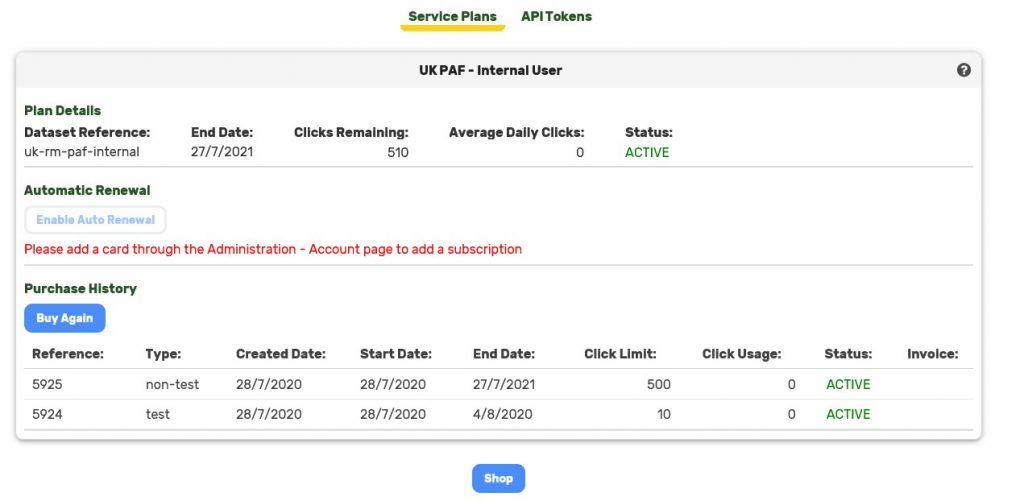
The Service Plans tab shows plan details and purchase history. If you require a different plan click the ‘Shop’ button or ‘Buy Again’ to purchase the same plan. You can also enable Automatic Renewal to prevent downtime. You will need to add a card in Administration -> Account to enable this.
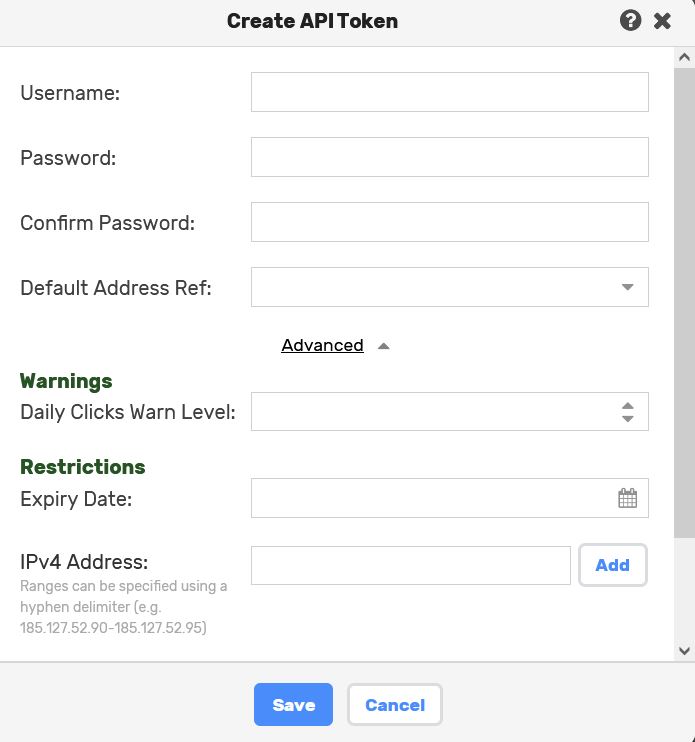
The API Tokens tab shows the Tokens that are used to access plans via the Address Lookup / Payment Validation APIs and clients, and you will need to create at least one for this purpose. From the API Tokens tab you can create and remove tokens. You are able to specify usernames of your choice, which will show in usage reports.
You can also optionally specify a default dataset reference (only applicable in SOAP API).
Clicking Advanced opens up further security options:
- Click warning level: once this threshold is reached in a day, a warning email will be sent to all administrators who have not disabled the warnings for their account.
- Expiry Date: once this date is reached the token will expire. A warning email will be sent to all administrators who have not disabled the warnings for their account, 14 days before the expiry date. To ensure continued service, with no downtime, you will need to either extend the expiry date or use a different token. The token expiry date will be in the Europe/London time zone.
- IPv4 Address: The IP restriction will provide a whitelist of allowed IP addresses or ranges, up to a maximum of ten per API token. IP addresses and ranges will be limited to IPv4 only. IP verification will be based on the client IP address or that of the last proxy used before the message reached the load balance or a Hopewiser server.
- Refferer: Tokens may be configured to only accept requests from a known referrer. This should be specified as a URL formatted string that comprises a scheme (either http or https), host and optionally port. For example: https://www.hopewiser.com. If this property is set then the rest request must contain a http origin / referrer header which contains the configured value served up from one server.